Washoe: From Visual Mockup to Styled Page
Brief
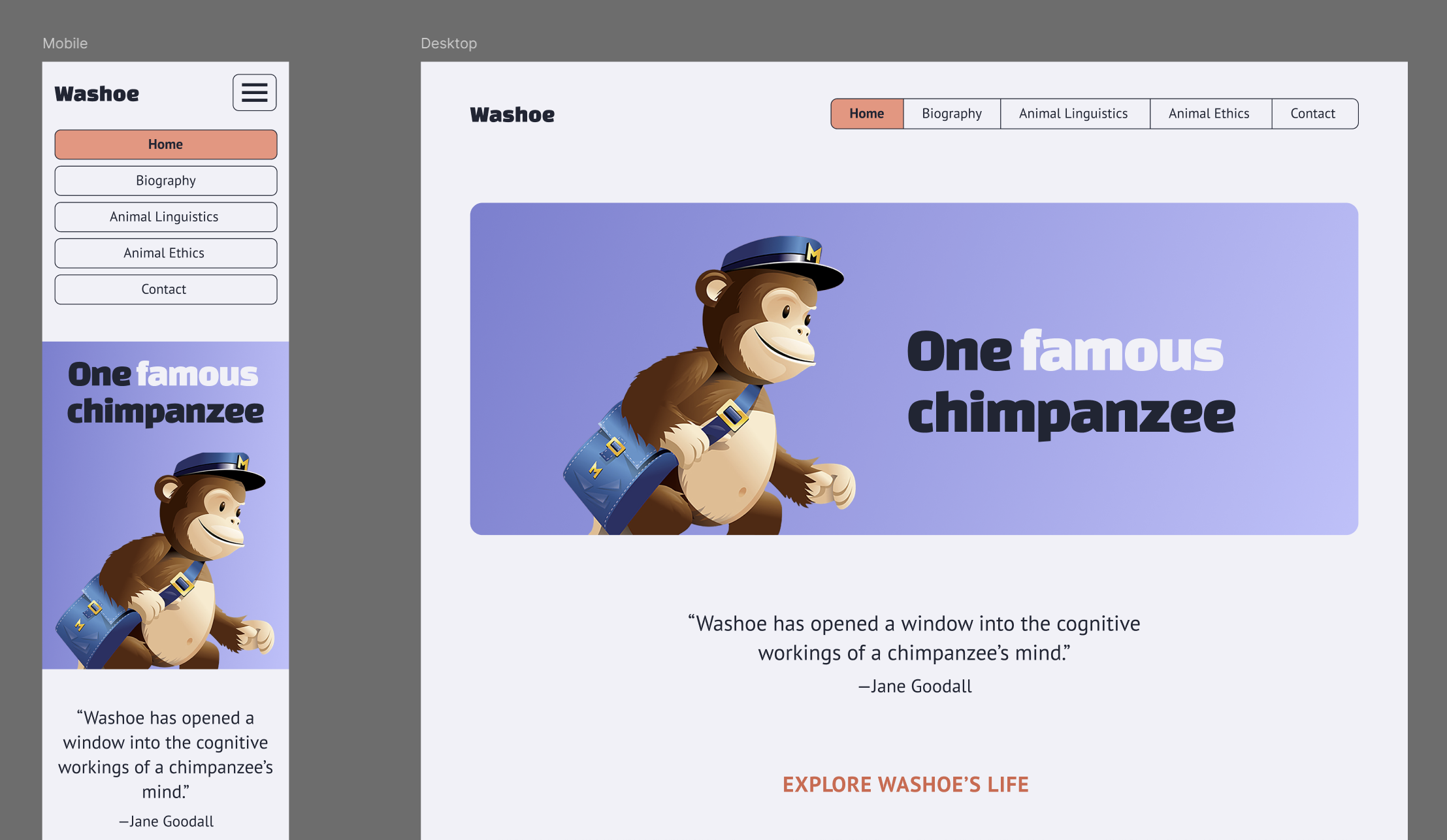
Code the HTML and CSS for the design given. Implement the design as closely as possible.
Assets
You can access the design using this Figma link.
Also, download these files as a starting point.
The fonts used in the design are PT Sans and Changa One. All three are available on Google fonts. Implementing them is pretty easy.
Learning Goals
The main point for this project is for us to thoroughly review the best practices for coding HTML and CSS. Along the way, you will:
- Use Figma
- Learn HTML/CSS best practices
- Write semantic HTML
- Code a responsive and mobile-first page from scratch
- Use browser’s dev tools (aka inspector)
- Validate code
- Employ a CSS reset
- Use webfonts
- Use CSS Variables
- Learn about
flexboxandgrid - Use SVG images
- Code a mobile menu using javascript
HTML tags
You will need to utilize (and understand) the following HTML tags. Look them up if you are unfamiliar with any.
<!DOCTYPE><html><head><meta><title><link><body><header><main><footer><nav><button><h1><h2><h3><p><blockquote><img><svg><ul><li><a><em>
CSS Properties
You will need to utilize (and understand) the following CSS properties. Look them up if you are unfamiliar with any.
displaymarginpaddinggapborderwidthheightmax-widthcolorbackgroundborder-radiusbox-shadowtext-aligntext-transformtext-decorationfont-familyfont-sizefont-weightline-heightletter-spacingmix-blend-modepositiontopright